Zon APK
Zon APK latest version for Android. Explore apps, games, ZonAPK Free Fire, ZonAPK TV, installation guides, compatibility details, and safe APK tips.
Zon APK
Looking for a simple way to discover Android apps, games, and APK downloads? Zon APK brings together useful information about Android applications and games in one convenient place. Whether you are searching for the latest app version, a popular Android game, or a guide explaining how to install an APK, ZonAPK is designed to make the process easier to understand.
The platform also covers specific searches such as Zon APK download, ZonAPK Free Fire, and ZonAPK TV, giving users a broader place to explore Android-related content. Before downloading any APK, however, it is important to check the version, compatibility, permissions, and source of the file.
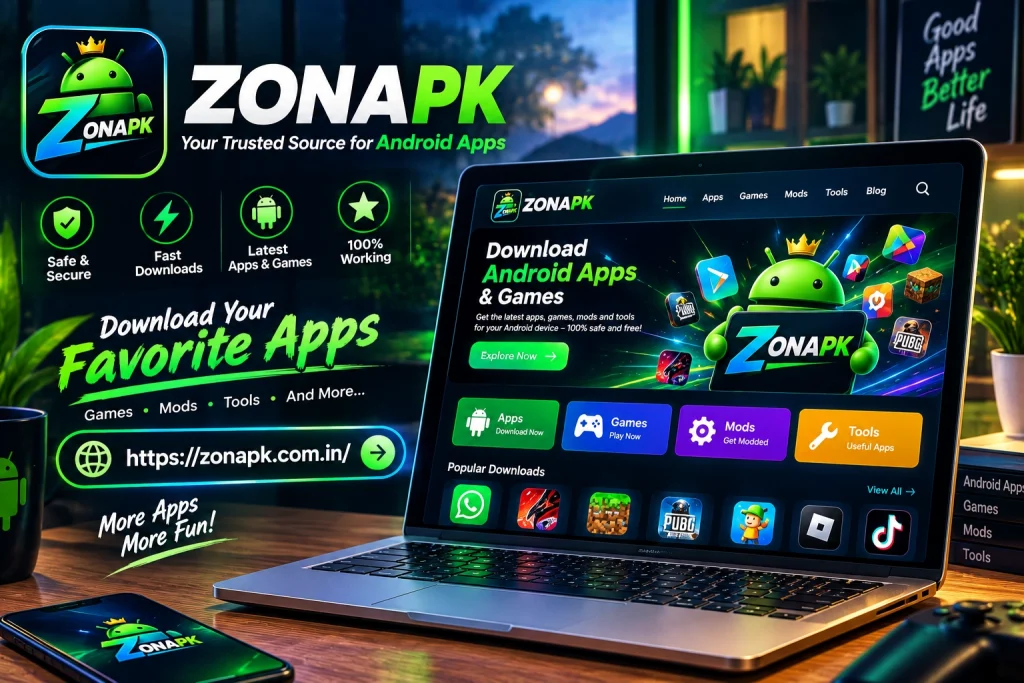
What Is Zon APK?
Zon APK refers to an Android-focused platform where users can discover information about applications, games, updates, and APK files. Instead of searching through different pages for basic app information, users can explore categories and guides from one place.
APK files are Android application packages. They can be installed manually on compatible Android devices, although the installation process is different from downloading an application through an official app store.
ZonAPK can be useful for people who want to learn more about an application before installing it. Information such as version details, Android requirements, file size, features, and installation steps can help users decide whether an APK is appropriate for their device.
Zon APK at a Glance
| Information | Details |
| Name | Zon APK |
| Platform | Android |
| Content | Apps & Games |
| File Type | APK |
| Main Focus | Android downloads and guides |
| Compatibility | Depends on the individual app |
| Content Areas | Apps, Games, Free Fire, TV & Guides |
Exact version, file-size, and developer information should always be checked against the particular APK listing before installation.
What Can You Find on Zon APK?
ZonAPK can be organized around several types of Android content, including:
- Android applications
- Android games
- Popular downloads
- Latest APK updates
- Installation guides
- Compatibility information
- Free Fire-related content
- ZonAPK TV information
This structure makes it easier to find content according to your particular interest instead of searching through unrelated pages.
Zon APK Download – Latest Version
The Zon APK download process should start with checking the information associated with the particular file you want to install. A newer version is not automatically suitable for every device, so Android requirements should be reviewed first.
Before downloading, check:
- APK version
- File size
- Android requirement
- Developer information when available
- Requested permissions
- Available storage
- Whether the file comes from a trustworthy source
Once these details have been checked, you can download the appropriate APK file and continue with the Android installation process.
How to Download Zon APK
Downloading an APK is generally straightforward:
- Open the relevant Zon APK page.
- Review the available version and requirements.
- Check that your Android device is compatible.
- Select the download option.
- Wait for the APK file to finish downloading.
- Locate the downloaded file on your device.
Avoid clicking suspicious advertisements or unfamiliar download buttons. A genuine download process should clearly identify what file you are getting.
How to Install Zon APK
After downloading the APK, you can install it manually on Android if your device supports the application.
- Open your Downloads folder.
- Tap the downloaded APK file.
- If Android asks for permission to install from that source, review the setting carefully.
- Continue with the installation.
- Wait until the process finishes.
- Open the application.
If Android reports that the application is incompatible, do not repeatedly force the installation. Check the app’s minimum Android version and architecture requirements first.
How to Update Zon APK
When a newer version becomes available, check its release information before updating.
Download the newer compatible APK, install it over the existing version when supported, and then open the application to confirm that everything works correctly. Keeping track of versions can also help avoid installing an outdated or incompatible package.
Why Use Zon APK?
There are several reasons users may search for an APK-focused platform.
Easy App Discovery
A categorized website makes it easier to discover applications without searching through unrelated pages.
Android Apps and Games
ZonAPK can cover both applications and games, allowing users to explore different types of Android content from the same platform.
Latest Version Information
Version details are important when deciding whether an APK is suitable for a particular device.
Simple Download Process
Clear download and installation instructions can make manual APK installation easier for users who are unfamiliar with sideloading.
Compatibility Information
Checking Android requirements before installation helps reduce common compatibility problems.
Gaming Content
Alongside general Android applications, gaming-related content can help users find information about popular Android games and related guides.
Apps on Zon APK
Android users have different needs, so app content can be organized into several categories.
Entertainment Apps
Entertainment applications can include video, music, media, and other leisure-related tools.
Social Apps
Social applications help users communicate, share content, and interact with online communities.
Utility Apps
Utility applications can provide tools for managing files, devices, settings, and everyday tasks.
Productivity Apps
Productivity software can help with notes, documents, calendars, organization, and other work-related activities.
Photography & Video Apps
Android has a large selection of applications for editing photos, recording videos, applying filters, and managing media.
Tools
Tools can include browsers, file managers, system utilities, and other applications designed for specific functions.
Games on Zon APK
Games are another important part of Android APK searches. Different users prefer different genres, so organizing games by category makes discovery easier.
Action Games
Action titles generally focus on fast gameplay, combat, challenges, and interactive environments.
Adventure Games
Adventure games often combine exploration, missions, puzzles, and story-driven gameplay.
Racing Games
Racing titles can include cars, bikes, tracks, competitive events, and different driving challenges.
Casual Games
Casual games are usually designed around simple controls and short or flexible gameplay sessions.
Multiplayer Games
Multiplayer games allow players to compete or cooperate with other people through supported online features.
ZonAPK Free Fire
ZonAPK Free Fire is a specific search term for users interested in Free Fire-related content associated with ZonAPK.
Free Fire is a popular mobile battle royale game, and Android users frequently search for information about its updates, settings, performance, and gameplay.
A useful Free Fire section should focus on legitimate informational content rather than unsupported promises about free diamonds, cheats, or guaranteed game advantages.
Free Fire Content
Potential Free Fire content can include:
- Gameplay guides
- Update information
- Settings guides
- Performance tips
- Installation information
- Android compatibility
- General game features
Free Fire APK Information
Before installing any game-related APK, check the version, Android requirements, file size, and source. Game updates can also change compatibility requirements, so older files may not work correctly with newer versions of Android or the game itself.
ZonAPK TV
ZonAPK TV is another specific search users may make when looking for TV-related Android applications or information.
If you are installing an application on a television device, compatibility becomes especially important. Android TV and other TV platforms can have different requirements from standard Android smartphones.
ZonAPK TV Features
Depending on the specific application, TV-focused APKs may be designed around:
- Large-screen navigation
- Remote-friendly controls
- TV compatibility
- Simple menus
- Media or app discovery
The exact features should always be checked on the relevant application page rather than assumed from the name alone.
ZonAPK TV Compatibility
Before installing a TV-related APK, check:
- Android TV compatibility
- Supported Android version
- Device storage
- Hardware requirements
- Remote/control support
- Application architecture
If an APK is designed only for smartphones, installing it on a TV device may not provide a usable interface.
How to Install ZonAPK TV
The installation process depends on the TV device and the application. In general, users should first verify compatibility, obtain the correct APK, transfer or download it to the compatible device, and then follow the device’s installation instructions.
Zonapp – What Does It Mean?
Some users may search for Zonapp instead of Zon APK. These variations can appear because people use different spellings or shortened forms when searching for an application or website.
When you encounter a Zonapp-related download, check the exact application name and package information before installing anything. Similar names can sometimes refer to completely different applications.
Zonapp and Zon APK
The terms may be used in searches for related Zon APK content, but the safest approach is to verify the specific application, version, developer, and source rather than relying only on the name.
Finding the Correct APK
Before opening an APK file, confirm:
- Application name
- Version
- Source
- Android requirements
- File size
- Permissions
These checks can help you avoid downloading an incorrect or misleading file.
Zon APK Features
The usefulness of an APK platform depends on how clearly its content is organized and presented.
App Discovery
Categories and search functionality can make it easier to find applications.
Game Discovery
Dedicated game sections help users browse Android games according to their interests.
Latest APK Information
Version and update information can help users determine whether a particular file is current.
App Details
Useful listings should provide relevant information rather than only presenting a download button.
Android Compatibility
Compatibility details help users determine whether an application is appropriate for their phone, tablet, or TV device.
Zon APK Compatibility & Requirements
Not every APK works on every Android device. Compatibility depends on several factors.
Android Version
Some applications require a minimum Android version. Older devices may therefore be unable to run newer releases.
Storage
Make sure your device has enough free storage for both the APK file and the installed application.
RAM
Applications and games with more demanding features may require more available memory for smooth operation.
Device Compatibility
Check whether the APK supports your phone, tablet, or other Android device.
Android TV Compatibility
TV applications may require a compatible Android TV environment and a suitable user interface.
Checking these requirements before downloading can save time and prevent unnecessary installation errors.
Is Zon APK Safe?
APK installation requires more attention than downloading an application through a trusted official store. Safety depends heavily on the source and the particular file.
Instead of assuming that every APK is safe, check the file before installation.
Check the APK Source
Use a source you trust and avoid unfamiliar download pages that redirect you repeatedly or request unnecessary information.
Review Permissions
An application should not automatically receive access to information or device functions that are unrelated to its purpose.
Check Version Information
Compare the listed version with the version you expect to install. Avoid files with unclear or suspicious version information.
Verify Compatibility
Installing an incompatible APK can cause crashes or installation errors.
Keep Android Security Enabled
Keep your device’s built-in security protections enabled and investigate warnings rather than ignoring them.
Common Zon APK Problems
Even a compatible APK can sometimes encounter installation or performance issues.
APK Won’t Install
Check the Android version, available storage, APK integrity, and whether the application is compatible with your device.
Download Failed
A failed download may be caused by a poor connection, insufficient storage, or an incomplete file. Try downloading the file again from a trusted source.
App Crashes
Check whether your device meets the application’s requirements. Updating the application or clearing its cache may help in some situations.
Compatibility Problems
If Android reports that the application is incompatible, verify the minimum Android version and supported architecture.
Installation Is Blocked
Android may restrict installations from certain sources. Review the security setting carefully and only enable installation for a source you trust.
Insufficient Storage
Free up enough space for the APK and the installed application before trying again.
Latest Zon APK Downloads
A useful APK homepage should make recent content easy to discover.
Latest Apps
Highlight newly added or recently updated applications.
Latest Games
Feature newly updated or recently published Android games.
Recently Updated APKs
Show applications with current version information so users can easily find updates.
Popular Downloads
Popular content can provide another way for visitors to discover frequently viewed applications and games, provided the popularity information is based on actual site data.
Trending Zon APK Guides
The Zon APK website can also grow through helpful guides that answer specific Android and gaming questions.
Useful future topics include:
- Zon APK latest version guide
- How to install Zon APK
- ZonAPK TV guide
- ZonAPK Free Fire guide
- How to fix APK installation problems
- How to check APK compatibility
- How to update Android APKs
- APK versus official app-store installation
- Android security and APK safety guides
These articles can also be internally linked to relevant app, game, and category pages.